
When you have logged into your Google Analytics account, click on the following:
Behavior > Events > Pages > Event Action (see below)
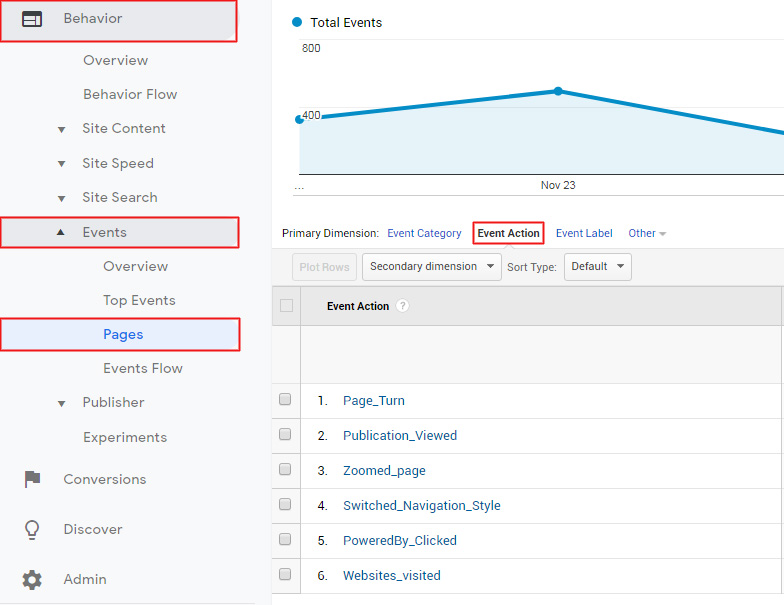
Here you will be able to view all the flipbook events tracked by Google Analytics.
If you have not yet signed up for Google Analytics, check out this article.